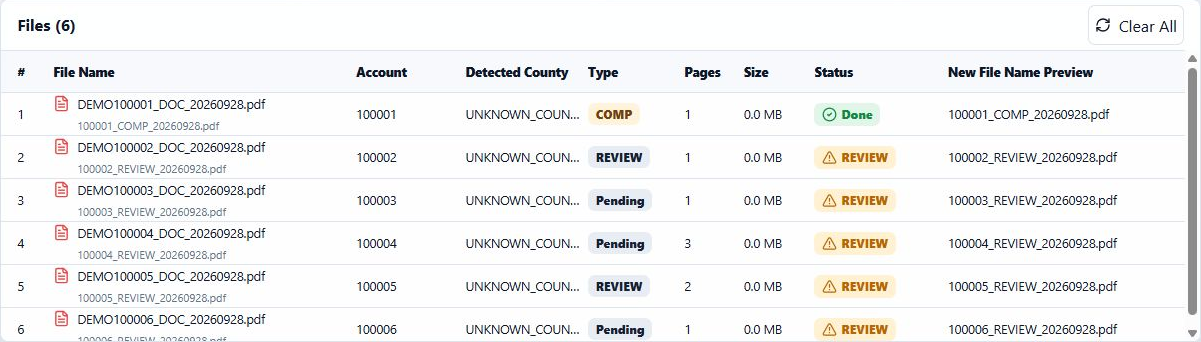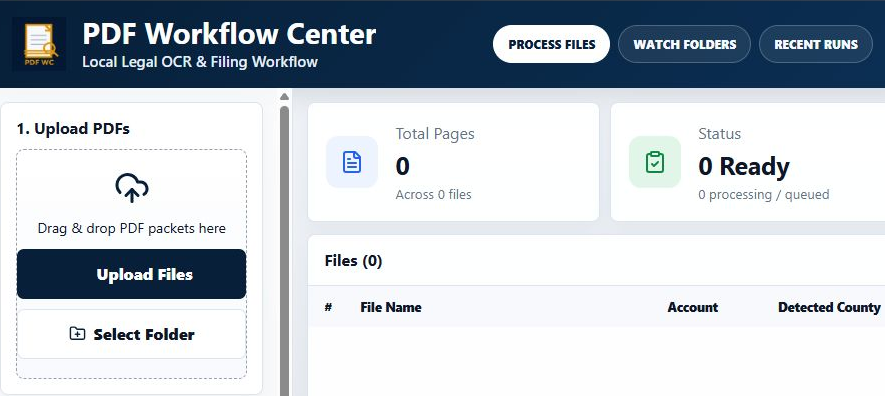
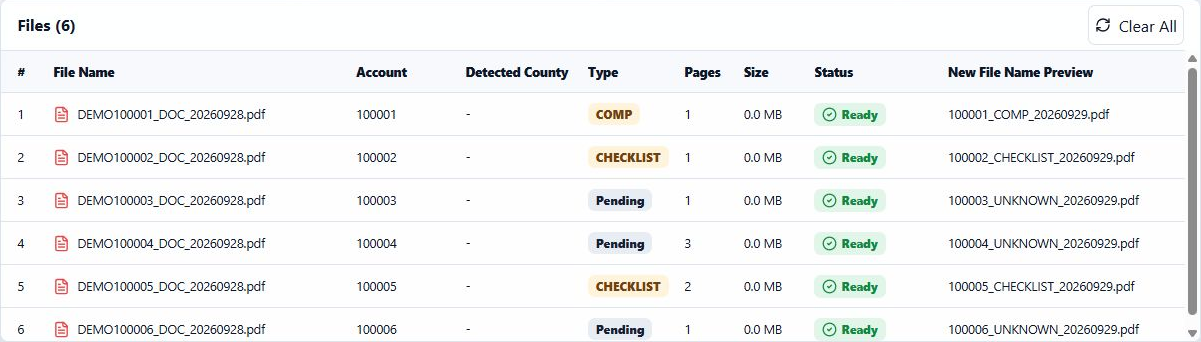
Start with a document batch
High-volume PDF and document work enters a repeatable workflow instead of being handled one file at a time.
PDF Workflow Center
Windows desktop application for legal document workflows
PDF Workflow Center helps legal teams turn repetitive document processing into a more standardized, automated workflow, reducing manual effort while keeping uncertain work visible for human review.
Product overview
PDF Workflow Center takes workflows that normally require repeated manual handling and moves more of that work into a consistent processing path: documents enter, repetitive steps are handled more consistently, uncertain work remains visible for review, and organized results are produced.
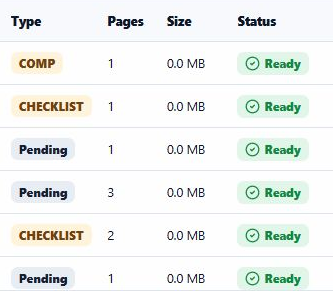
Workflow story
High-volume PDF and document work enters a repeatable workflow instead of being handled one file at a time.
PDF Workflow Center can identify, split, name, extract, and route documents according to workflow rules.
Work that cannot be handled confidently can remain available for human review instead of being silently guessed.
Outputs can be standardized, organized, routed, and reflected in reporting and audit information.
Capabilities
From understanding incoming documents to organizing the results, PDF Workflow Center brings repetitive processing steps into one controlled workflow.
Turn scanned and mixed document work into information the workflow can act on.
Move packet-heavy processing into a more repeatable path without treating every batch as identical.
Standardize output handling so results are easier to find, review, and continue processing.
Keep uncertain work visible and preserve a clearer record of what happened during processing.
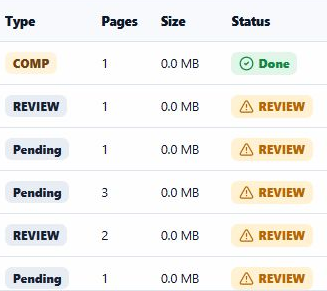
Automation with control
PDF Workflow Center is designed to reduce repetitive handling while keeping review and professional judgment visible. Automation supports the workflow; it does not replace human review where uncertainty remains.
Accuracy and consistency
Repeatable workflows reduce dependence on manual naming and sorting decisions, while uncertain cases can remain available for review and control.
Business value
The value is operational: less manual handling, more repeatable output, and a clearer path for teams facing growing document volume.
Reduce repetitive sorting, splitting, naming, organizing, and related document-processing effort.
Reduce the labor burden tied to repetitive document workflows.
Help teams handle growing document volume without proportional increases in manual work.
Standardized processing reduces dependence on individual operator habits and one-off handling choices.
Operational credibility
PDF Workflow Center is used in real production workflows and is designed around repeatable processing, review, reporting, and auditability.
LOCAL-FIRST
Core document processing is designed around a local-first approach and does not require mandatory cloud OCR for that work.
Next step
Talk with PDF Workforce about the document-processing work your team wants to reduce, or visit support paths if you already use the product.
Looking for the public overview? Return to the homepage.