Document intake and recognition
- OCR for scanned documents
- document identification and classification
- packet recognition
Product Documentation
Authoritative product information for evaluating how PDF Workflow Center behaves in high-volume professional and legal document workflows.
PDF Workflow Center is a Windows desktop application for professional and legal document workflows. It is designed around high-volume PDF and document processing, with a local-first architecture for core document processing.
The product helps transform repetitive document-processing work into more repeatable automated workflows. Uncertain cases can be surfaced for review, and processing results can be reported and audited.
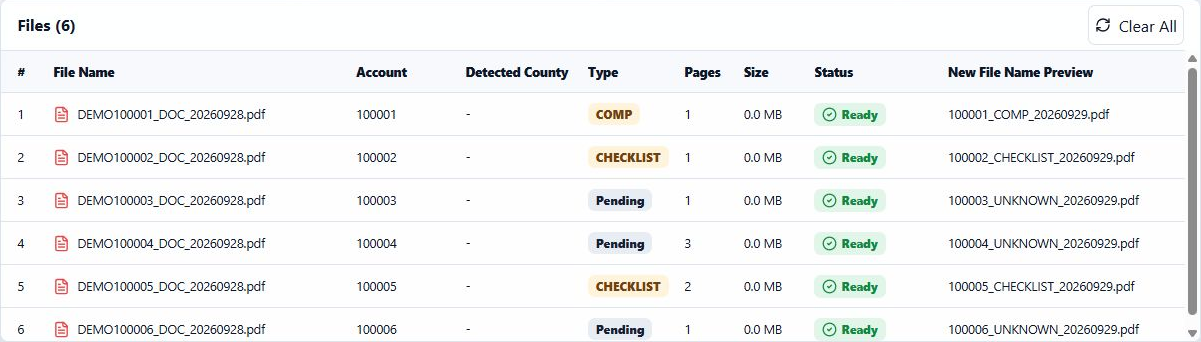
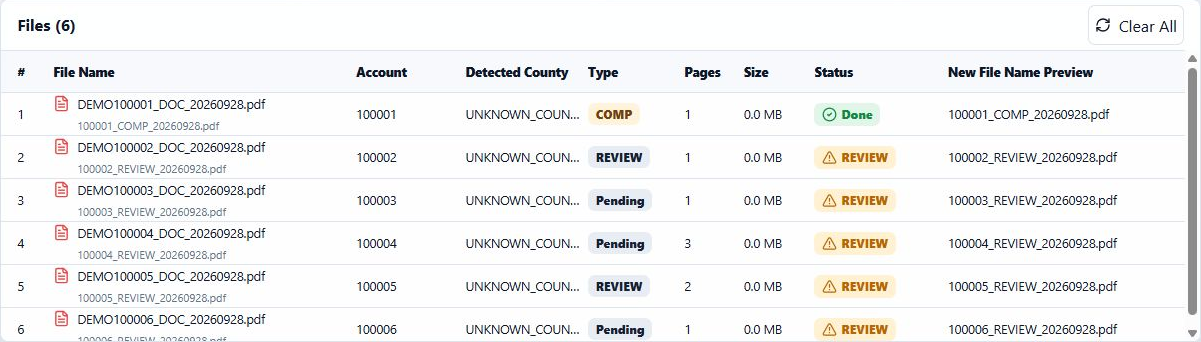
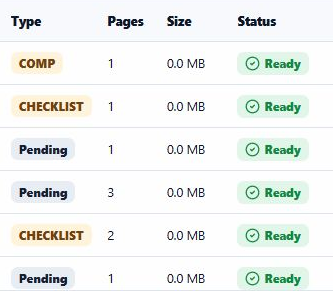
In Process Files, use Upload Files or Select Folder to add PDFs. The file queue shows each document, its detected type, page count, status, and filename preview. Ready means the file is waiting to be processed; it is not a completed classification or an approved output.
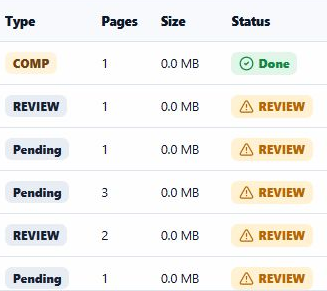
Check the Status column before using the results. In this fully synthetic example, one file shows Done and five show REVIEW. A finished batch can still contain work that needs attention. These are demonstration results, not a measure of performance or accuracy.
Capability use depends on the workflow being configured and evaluated.
PDF Workflow Center does not replace professional judgment or make legal decisions.
For deployment requirements, public release information, or software access, use Support or Contact Sales.